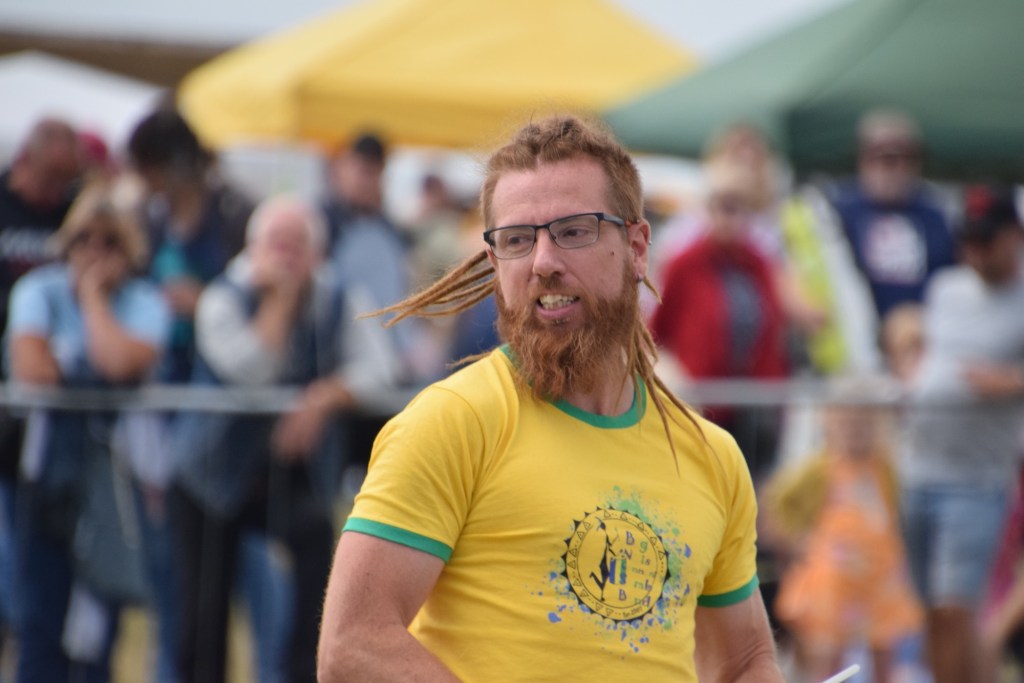
This is a photo that I wanted to put into the next competition as a print. Looking at the photo, I think it’s quite a good portrait, but my eyes are immediately drawn to the person in the red coat to the left of the Samba Leader.
What I spent an hour trying to do is remove the person in the red coat. Do you think I can do it? Nope. Tried loads of different things, looked up how to remove backgrounds in youtube, I can delete the whole background, but that removes the context and makes it clearly photoshopped.
I gave up. I can still use the image in the PDI competition that’s coming up, but I will still have the same problem – unless I can learn how to do this. Deep, Deep frustration!
I wrote the above last night, and didn’t post it. That’s not what I’m writing about. Tonight we went to the camera club. It was just a bar night, so a social occasion not a club activity. Colin, one of the members had brought his laptop loaded with photoshop.
He very kindly took us through several procedures including removal of the red coat and the fence line, which I have to say hadn’t registered with me. He made it look very easy, and he was using a 2020 version of photoshop. Since we have the 2025 version, it should be a lot easier.
With a bit of luck, I may still be able to put a couple of prints in to the competition.
 Bills Posts